Don't take the title as a metaphor, I am talking about the real deal here. After playing this game since 2007, I have come across my fair share of dongs in WoW. There's no denying the phallic nature of many items in the game, not to mention the whole city of Dalaran is a tower of dong.
So I have gone through my wow screenshot folder and pulled three good examples of vagina in World of Warcraft. While the game is cartoony, and the photos are not at all graphic, I don't want to offend anyone. Please don't click through if you may be offended. Photos after the break.

Technology, Toddlers, Tylenol.
Showing posts with label World of Warcraft. Show all posts
Showing posts with label World of Warcraft. Show all posts
Friday, March 2, 2012

Friday, February 24, 2012
Does World of Warcraft Cataclysm Work on Hughesnet?
 |
| Yeah, that's what you think it is. |
In response to my article about using Xbox Live on Hughesnet, I decided to put together a quick post about how WoW runs on satellite internet.
Well if you have not looked at my other posts about Hughesnet, then you might be missing out on some good info. I have a post about using Hughesnet for Xbox Live, and some other general Hughesnet information.
Well, the long and the short of things is this: Hughesnet works with World of Warcraft. It sucks though.
Sunday, July 18, 2010
Does Xbox Live work with Hughesnet Satellite Internet? *Update
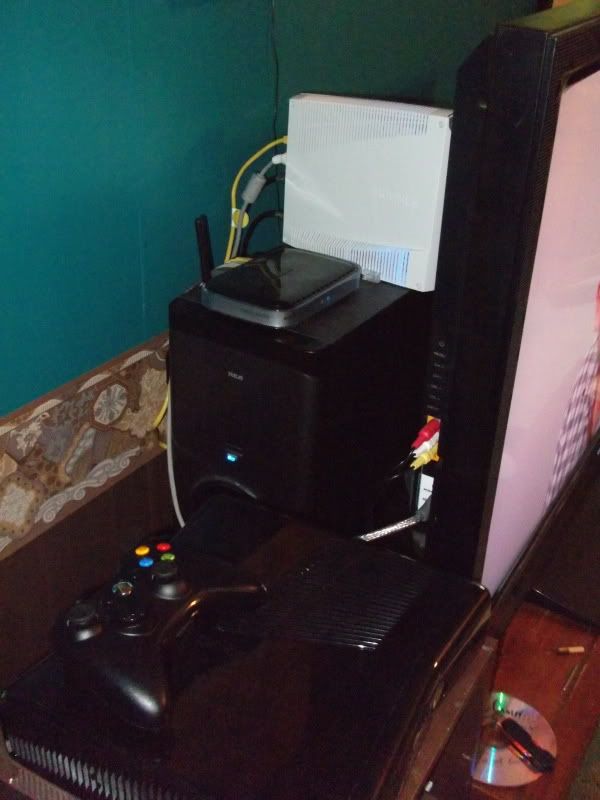
*Updated, Fall 2010 Dashboard. *Update Xbox Live on 3G here!
I never thought that in today’s day of age that there were people out there that didn’t have broadband. I was pretty much always plugged in playing on Xbox Live or World of Warcraft at all hours of the day and night. Then I got married and moved out into the woods. So the long and short of it, is that I went from some pretty kick-butt broadband to dial-up. Then I bought a USB modem from Verizon, but being too far from the tower meant frequent drops in the data stream. Then I got Hughesnet, and that is what I am going to focus on here.
Does Hughesnet work on Xbox Live?
Yes and no. If you have done any kind of research on this subject, then you know that they say pretty specifically that “twitch gaming” isn’t supported by Hughesnet, and I can verify that. I can’t play any kind of multiplayer on satellite internet. No Modern Warfare 2, no Halo:Reach. Bummer ‘eh? Before you get all mad, keep in mind that there are things that are possible on Xbox Live that you might not realize.
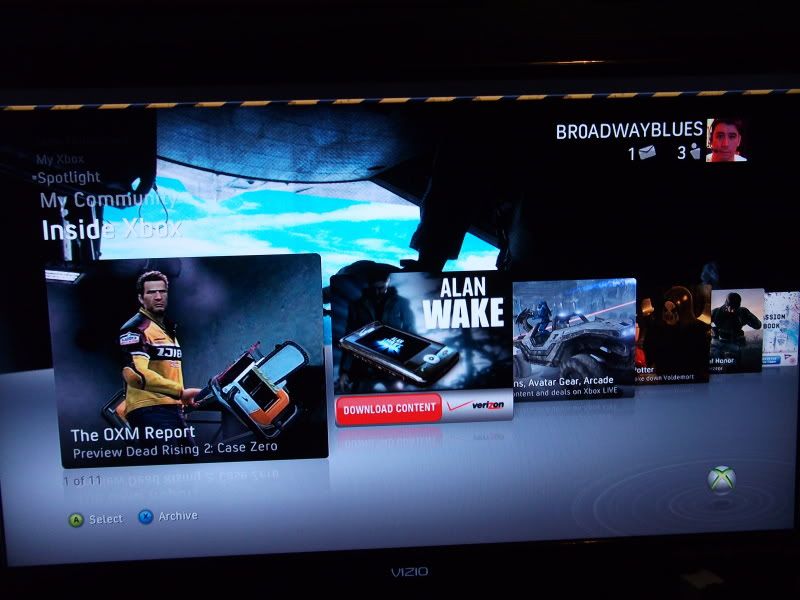
Things that you can’t do on Xbox Live via Satellite Internet:
- Mulitplayer
- Chat *I have used voice chat on the new dashboard!
Things that you can do on Xbox Live via Satellite Internet:
- Title updates (The update that you get when you first play a game when connected to Live.)
- Sign In to your gamer profile
- Rate games
- Read your messages and compose voice and text messages to your friends
- Twitter and Facebook work fine
- Download demos, add-ons and themes*
- Stream movies on Netflix*
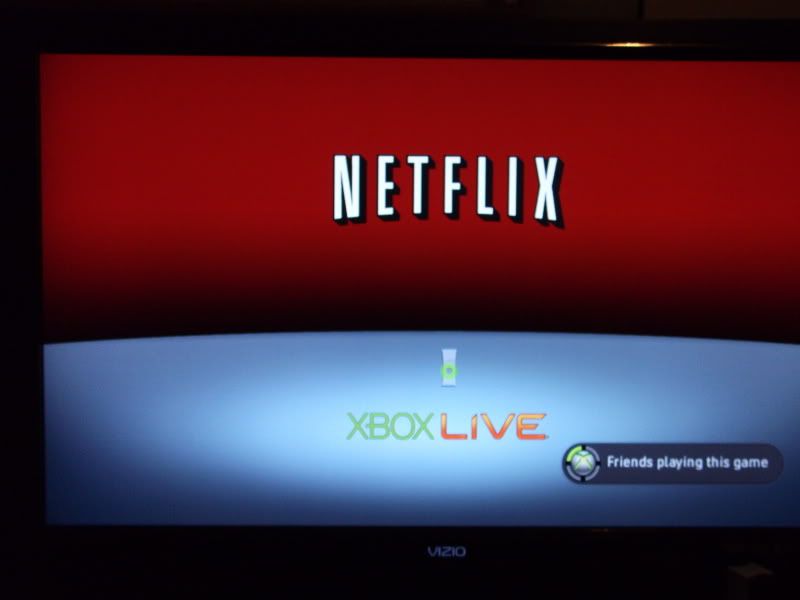
Now keep in mind that I have the plan that allows 450 MB of data. *Using Netflix and downloading demos eats up your allowance pretty freaking fast, so I recommend that you do these things at 2-7 AM EST, during the ‘free’ part of the night. My wife and I watched a couple of episodes of Lost on Netflix and I had to use our free monthly token to reset our usage. So, it is something that isn’t really practical but it’s good to know that you can use it.
***************** Update 2-6-2012
Hughesnet seems to have updated the control panel that is used to toggle Turbopage:
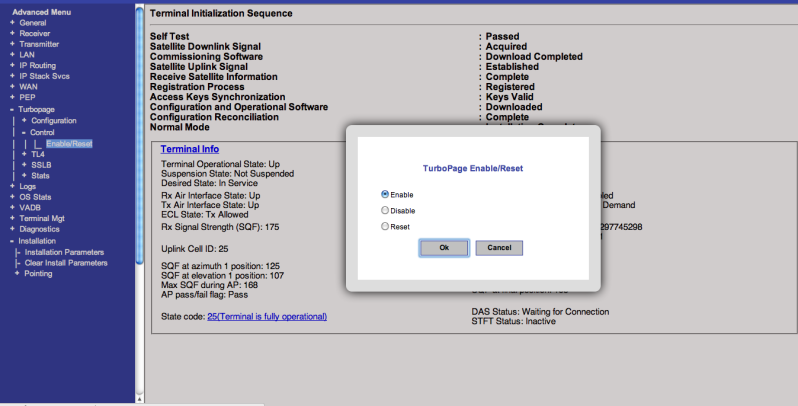
Use this link now: http://www.systemcontrolcenter.com/stlui/fs/advanced/advanced.html. Click the Turbopage link on the left, and get it to look like the photo above.
******
Now, there are some technical things that I have discovered about the service. Navigating to http://www.systemcontrolcenter.com/ has become some sort of obsession of mine. This allows you to see all sorts of things about your modem, and your service.
Now when I first fired up the internet, the first thing that I did was see if Xbox Live worked on my brand-new 360 Slim. It picked up the wireless just fine and signed in to Live. This made me so happy. I was schlepping my 360 to work and getting updates and demos there. I did notice however that there were things that didn’t work. Just getting around wasn’t working. I couldn’t browse anything on Live. I was signed into Live, but opening the demos page returned an error. At this point, I was navigating to Xbox.com and putting items in my download queue. Then I found this: http://www.systemcontrolcenter.com/stlui/fs/advanced/turbo_page_config_frame.html
Turbo Page is a pre-fetching service that is on my default. It seems to make pages load faster by having the servers take some of the load off the modem. What this does is totally fruck up Live. Once I turned this option off, Live came alive. However, for some strange reason, title updates didn’t work. It is very easy to navigate to the link above and enable the turbo page option and download the updates that you need.

Overall, it is kinda nice being able to go online. After years of being offline it is nice to have some functionality on Live. While you can’t play multi-player MW2, you can keep up to date with things like ‘This Week in Xbox’ and game videos. Seeing your friend’s gamerscore and played games is nice too. It’s not perfect, but it is better than nothing.
Hope this helps. Leave me a comment if you have a specific question that isn’t covered!
Wednesday, May 12, 2010
Pimping Out in my PJ's
So I have branched out and I am now doing a podcast segment for my friend @daewin over at @polygamerous podcast. They have a great (free!!!) Podcast that you can pick up over on iTunes. They talk about games and gaming in general. Great stuff!
Also, I you can hear me on the @hearthcast podcast. I left a voice mail and talked about various World of Warcraft things. They too have a great podcast talking about the casual World of Warcraft player. I am so glad they came back.
Both of these podcasts could use your support! Guess what? It is free to support them. Who the hell does that anymore? Just subscribe to the podcasts and leave comments on the podcasts on your iTunes store. And yes I still edit rawrcast.com!
...And the PJ's part? I am typing this on my Blackberry. In bed. So there.
Love ya guys,
Ozimandias/Broadwayblues/John
Also, I you can hear me on the @hearthcast podcast. I left a voice mail and talked about various World of Warcraft things. They too have a great podcast talking about the casual World of Warcraft player. I am so glad they came back.
Both of these podcasts could use your support! Guess what? It is free to support them. Who the hell does that anymore? Just subscribe to the podcasts and leave comments on the podcasts on your iTunes store. And yes I still edit rawrcast.com!
...And the PJ's part? I am typing this on my Blackberry. In bed. So there.
Love ya guys,
Ozimandias/Broadwayblues/John

Wednesday, April 21, 2010
Chill out!

We play this to have fun and get away from the things that bother us in RL. We play this to keep up with friends and for others it is theraputic.
Just please before the nerd rage or flame wars begin, take a breath and relax. It's supposed to be fun.
Subscribe to:
Posts (Atom)