 A post on the Google Devs site just outlined standards that Google is requiring of OEMs that use ICS on their phones. The "Halo" theme that is used on the Galaxy Nexus is now required on ICS builds. Google is not implicitly requiring the Halo theme, but those devices that do not comply with Google's wishes will find themselves locked out of the Google Market, and its 400,000 apps. That may mean that official Google apps might not be included, including Gmail and Google Maps and Google Nav, which is sure to discourage noncompliance.
Technology, Toddlers, Tylenol.
Showing posts with label Tech. Show all posts
Showing posts with label Tech. Show all posts
Wednesday, January 4, 2012
Did Google Just Squash Android Skins?
A post on the Google Devs site just outlined standards that Google is requiring of OEMs that use ICS on their phones. The "Halo" theme that is used on the Galaxy Nexus is now required on ICS builds. Google is not implicitly requiring the Halo theme, but those devices that do not comply with Google's wishes will find themselves locked out of the Google Market, and its 400,000 apps. That may mean that official Google apps might not be included, including Gmail and Google Maps and Google Nav, which is sure to discourage noncompliance.
Monday, December 26, 2011
Free and Fast Fix: Galaxy Nexus Can't Hear my Ringtones/Notifications

The GNex is a wonderful piece of engineering, combining Google's latest software, Android 4.0 and Samsung's beautiful displays.
Monday, June 6, 2011
E3, Microsoft and BF3
 Today was a pretty big day for the geek in me, and I made sure to watch the Microsoft keynote today at E3. From Microsoft came news of some really neat Kinect integration with a brand-new dashboard, games galore using the world record holding hardware and a teaser from our favorite Spartain.
Thursday, March 17, 2011
Xbox Live Labs on Hughesnet
 If you have logged into XBL in the past week, you might have noticed a Labs program. It looks enticing, download the program, let it gather information on your internet connection and send it to Microsoft. (It is located in the community window on your dashboard.) Neat thing is, you don't have to do anything to it. Just let the darn thing run. Always on the lookout for way to let Microsoft know that there are those of us out here that don't have blazingly-fast interwebs, I went to download Labs.
Well, there is a huge problem here for those of us on Hughesnet. We all have the FAP to deal with, and there is a disclaimer that pops up saying that running labs is going to run through a lot of data. Well thanks for being vague, but really, we need a more concrete number than that.
Tuesday, January 11, 2011
Verizon, Android, and the iPhone
 Today, Verizon and Apple announced the CDMA version of the iPhone 4. So, what does this mean? The inclusion of such a popular phone can't be ignored. Let's take a look at the possible impact of the Apple and Verizon iPhone.
First of all, this isn't a Verizon exclusive deal. Verizon never said that there isn't going to be a Sprint or T-Mobile iPhone. Keep this in mind if you are on another carrier. The iPhone isn't going to be announced on another carrier tomorrow, that would steal the thunder from Verizon, but I wouldn't be shocked to see the iPhone on another carrier or two in six months or so.
Sunday, July 18, 2010
Does Xbox Live work with Hughesnet Satellite Internet? *Update
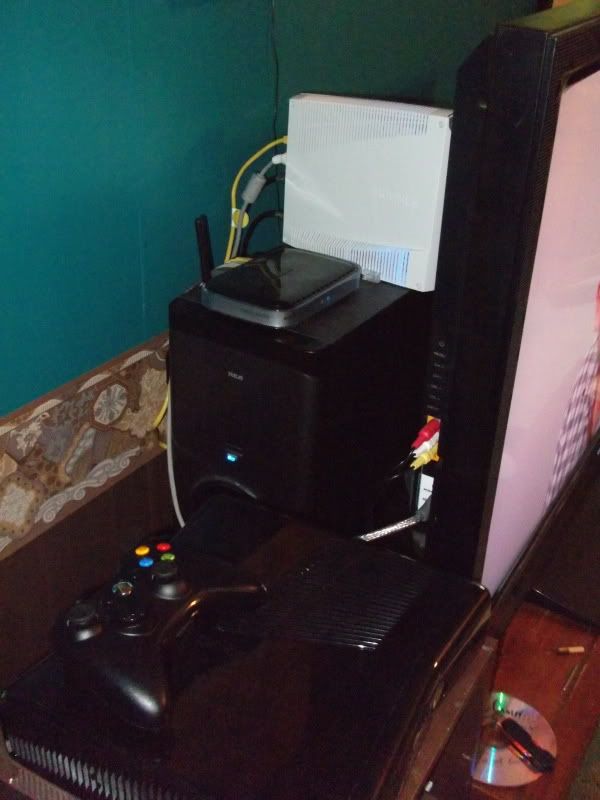
*Updated, Fall 2010 Dashboard. *Update Xbox Live on 3G here!
I never thought that in today’s day of age that there were people out there that didn’t have broadband. I was pretty much always plugged in playing on Xbox Live or World of Warcraft at all hours of the day and night. Then I got married and moved out into the woods. So the long and short of it, is that I went from some pretty kick-butt broadband to dial-up. Then I bought a USB modem from Verizon, but being too far from the tower meant frequent drops in the data stream. Then I got Hughesnet, and that is what I am going to focus on here.
Does Hughesnet work on Xbox Live?
Yes and no. If you have done any kind of research on this subject, then you know that they say pretty specifically that “twitch gaming” isn’t supported by Hughesnet, and I can verify that. I can’t play any kind of multiplayer on satellite internet. No Modern Warfare 2, no Halo:Reach. Bummer ‘eh? Before you get all mad, keep in mind that there are things that are possible on Xbox Live that you might not realize.
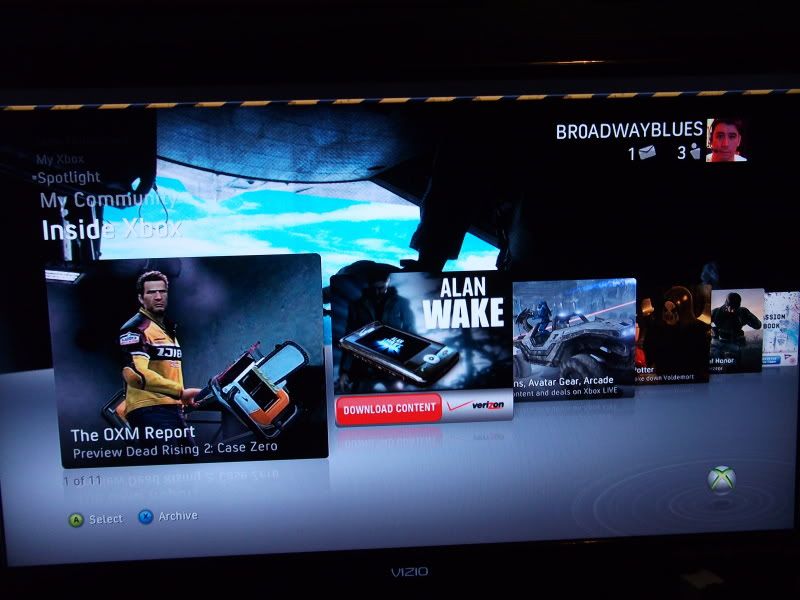
Things that you can’t do on Xbox Live via Satellite Internet:
- Mulitplayer
- Chat *I have used voice chat on the new dashboard!
Things that you can do on Xbox Live via Satellite Internet:
- Title updates (The update that you get when you first play a game when connected to Live.)
- Sign In to your gamer profile
- Rate games
- Read your messages and compose voice and text messages to your friends
- Twitter and Facebook work fine
- Download demos, add-ons and themes*
- Stream movies on Netflix*
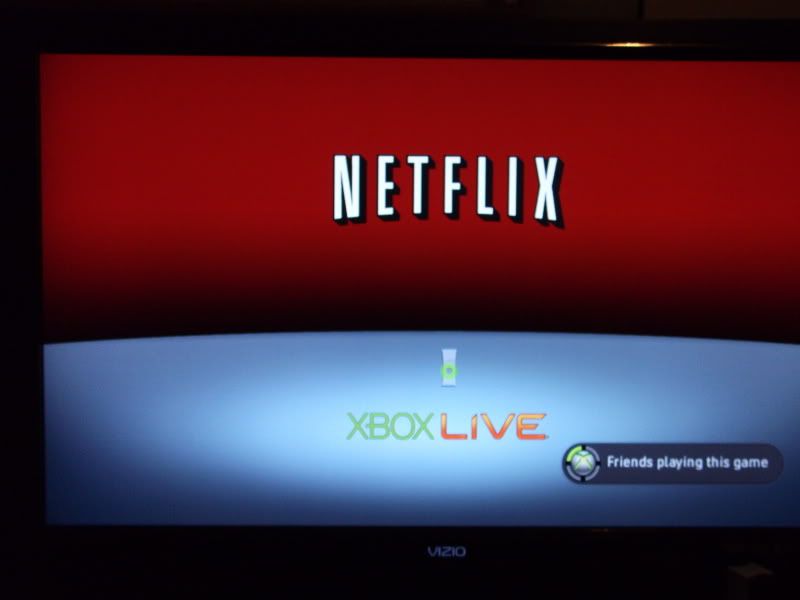
Now keep in mind that I have the plan that allows 450 MB of data. *Using Netflix and downloading demos eats up your allowance pretty freaking fast, so I recommend that you do these things at 2-7 AM EST, during the ‘free’ part of the night. My wife and I watched a couple of episodes of Lost on Netflix and I had to use our free monthly token to reset our usage. So, it is something that isn’t really practical but it’s good to know that you can use it.
***************** Update 2-6-2012
Hughesnet seems to have updated the control panel that is used to toggle Turbopage:
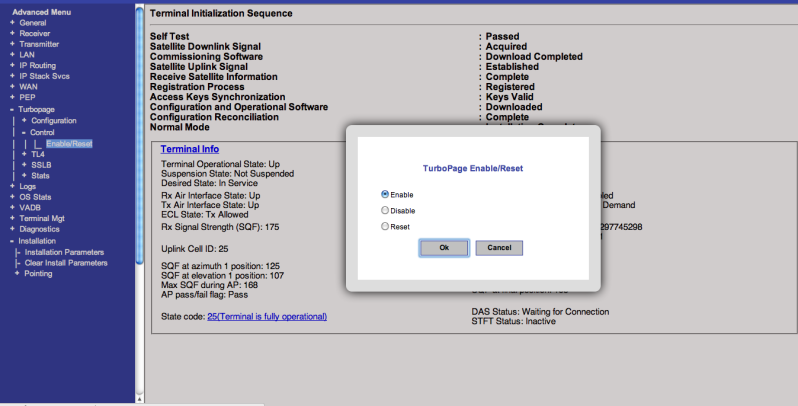
Use this link now: http://www.systemcontrolcenter.com/stlui/fs/advanced/advanced.html. Click the Turbopage link on the left, and get it to look like the photo above.
******
Now, there are some technical things that I have discovered about the service. Navigating to http://www.systemcontrolcenter.com/ has become some sort of obsession of mine. This allows you to see all sorts of things about your modem, and your service.
Now when I first fired up the internet, the first thing that I did was see if Xbox Live worked on my brand-new 360 Slim. It picked up the wireless just fine and signed in to Live. This made me so happy. I was schlepping my 360 to work and getting updates and demos there. I did notice however that there were things that didn’t work. Just getting around wasn’t working. I couldn’t browse anything on Live. I was signed into Live, but opening the demos page returned an error. At this point, I was navigating to Xbox.com and putting items in my download queue. Then I found this: http://www.systemcontrolcenter.com/stlui/fs/advanced/turbo_page_config_frame.html
Turbo Page is a pre-fetching service that is on my default. It seems to make pages load faster by having the servers take some of the load off the modem. What this does is totally fruck up Live. Once I turned this option off, Live came alive. However, for some strange reason, title updates didn’t work. It is very easy to navigate to the link above and enable the turbo page option and download the updates that you need.

Overall, it is kinda nice being able to go online. After years of being offline it is nice to have some functionality on Live. While you can’t play multi-player MW2, you can keep up to date with things like ‘This Week in Xbox’ and game videos. Seeing your friend’s gamerscore and played games is nice too. It’s not perfect, but it is better than nothing.
Hope this helps. Leave me a comment if you have a specific question that isn’t covered!
Sunday, June 13, 2010
Why Verizon Customers Might Want to Not get that Incredible **update
If any of you know me personally, you know that I am never really more than a couple of inches from my phone. If my penis was to become detachable and polymorph in to any shape that I wanted it to, it would be a Blackberry. Honestly, I kinda think that I may have my hands on my phone more than my penis only because it is more socially acceptable to have my hands on my phone than it is on my penis.
Anyway that tyrant was all leading up to my excitement over these phones coming out. First up, my current love:
Anyway that tyrant was all leading up to my excitement over these phones coming out. First up, my current love:
Subscribe to:
Posts (Atom)